Black Friday Facebook Ads 2026: When to Launch, How to Raise Budget, and the Week-by-Week Checklist

Test new ads in early November, lock everything by November 20, and raise your Black Friday budget with Meta's budget scheduling. Meta says a scheduled budget increase doesn't send your ads back into learning. A big manual budget jump on the day can.
Key dates (US)
- Black Friday: Fri, Nov 27, 2026
- Cyber Monday: Mon, Nov 30, 2026
When to launch
- Test new concepts: Nov 9 to 15
- Final ads built and scheduled: by Nov 20
How to raise budget
- Schedule a "high-demand period" in advance
- Not a big manual edit on the day
Who this is for
- DTC founders running their own Meta ads
- Media buyers and agencies planning BFCM
The Black Friday mistake that has nothing to do with your ads
Every year, some version of this story shows up in ad forums. A brand has an ad that's been selling well for weeks. Black Friday morning, they double the budget and add two new sale ads to the same ad set. By lunchtime the cost per purchase has jumped and the ad set says "Learning". The ad didn't get worse overnight. The changes reset the system that decides who sees it, on the most expensive day of the year to be learning.
Most Black Friday advice is about offers and creative, and both matter. But the thing that quietly costs the most is timing: when you make changes, and how you raise spend. Meta has published the rules. This guide turns them into a plan.
How Meta's learning phase works, in plain English
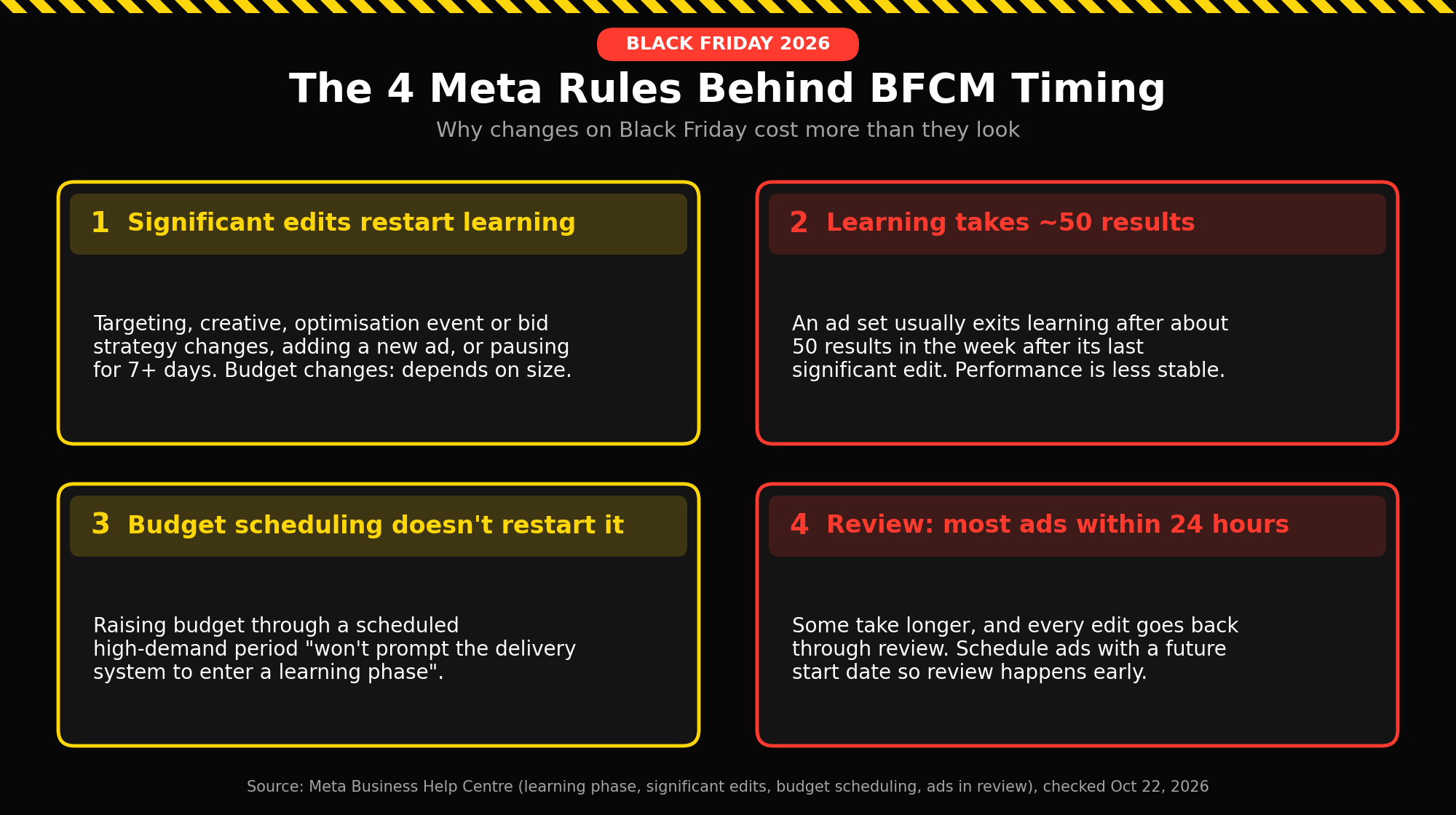
Think of every ad set as a new hire figuring out who your customers are. For the first stretch, it tries different people to see who buys. Meta calls that the learning phase, and says performance is less stable and cost per result is usually higher during it.1
An ad set usually finishes learning after about 50 results in the week after its last significant edit.1 The catch is the phrase "significant edit". Make one, and the new hire starts over. Meta lists these as significant edits:2
- Any change to targeting
- Any change to the ad creative
- Any change to the optimisation event
- Adding a new ad to the ad set
- Pausing the ad set for seven days or longer
- Changing the bid strategy
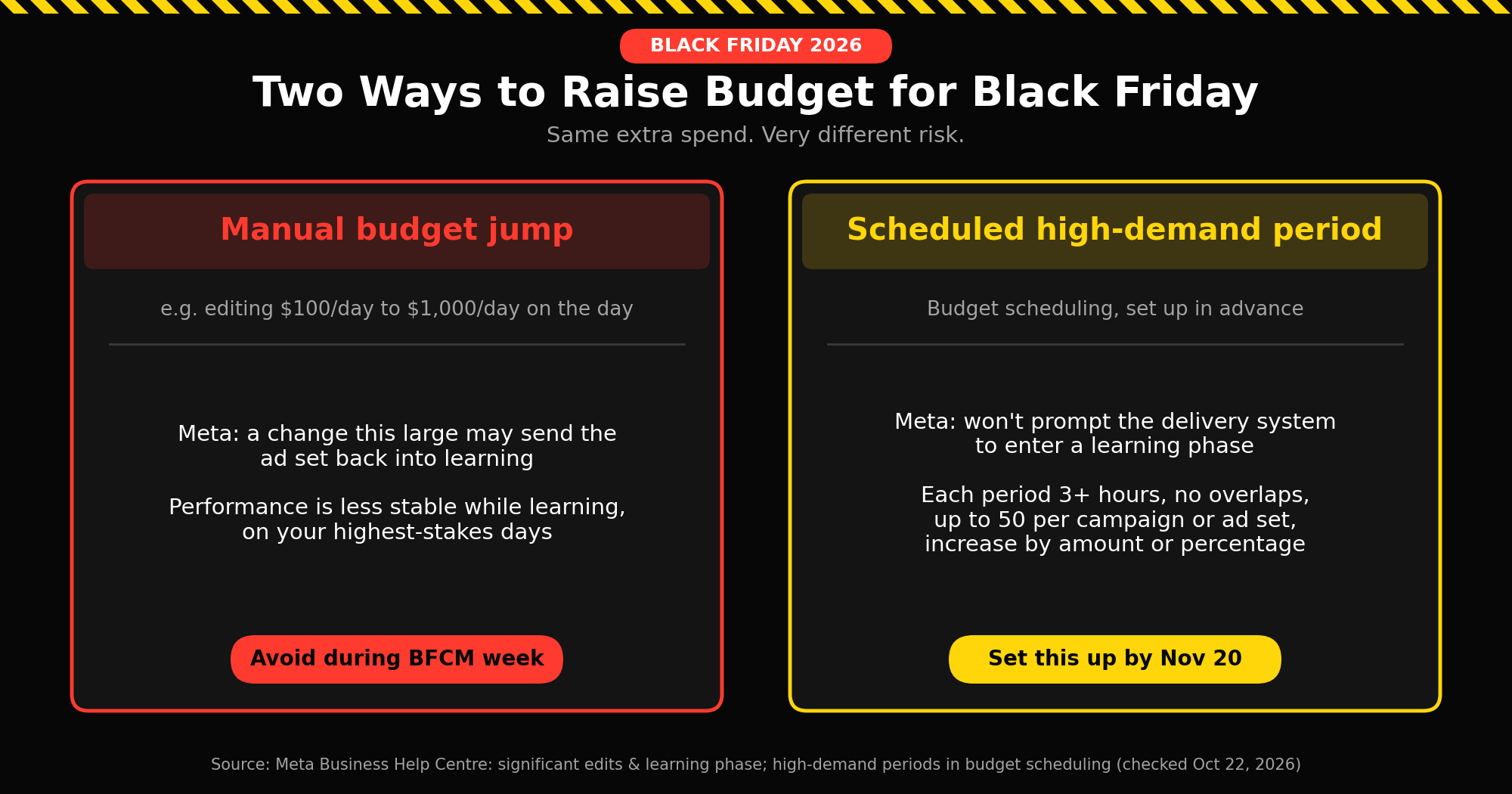
Budget changes are a grey area. Meta says they "may or may not be significant, depending on the magnitude of the change", and gives an example: going from $100 to $101 isn't likely to restart learning, but going from $100 to $1,000 may.2 On Black Friday, when you want to spend much more, that's exactly the kind of jump that can backfire.
When to launch Black Friday Facebook ads
Work backwards from the sale. Two Meta rules set the deadlines. First, most ads are reviewed within 24 hours, but some take longer, and every edit goes back through review.4 Second, anything that restarts learning should be done well before the sale starts, so the ad sets have time to settle.
| Date | What happens |
|---|---|
| Now to Nov 1 | Fix tracking, decide the offer, brief creative |
| Nov 2 to 8 | Build Black Friday creative |
| Nov 9 to 15 | Test new concepts |
| Nov 16 to 20 | Build final ads, schedule them, set budget increases |
| Nov 21 to 26 | Freeze: no significant edits |
| Nov 27 (Black Friday) to Dec 1 | Run, watch, change as little as possible |
| From Dec 2 | Read the results by concept |
You can build sale ads early and still have them start on Black Friday. Give the ad a future start date: Meta reviews it when you submit it, then starts delivering on the date you chose.4
How to raise your budget for Black Friday without restarting learning
This is the part most Black Friday guides skip. Meta has a feature built for exactly this situation, called budget scheduling. You tell Meta in advance which days or hours you expect more demand, and how much more you want to spend. Meta raises the budget automatically when that period starts and puts it back to your normal daily budget when it ends.7
The important line is on Meta's help page about high-demand periods: increasing your budget this way "won't prompt the delivery system to enter a learning phase".3
A worked example
Say your best ad set runs at $200 a day, and you want to spend $500 a day from Black Friday through Cyber Monday. Instead of editing the budget to $500 on Friday morning, you schedule it in November:
- Open the ad set in Ads Manager and go to the Budget and schedule section.
- After the daily budget, select Edit to open Budget scheduling.
- Choose Increase your budget during specific time periods.
- Enter the period: Friday, November 27 to Monday, November 30.
- Choose an increase by value ($300) or by percentage (150%).
- Check the summary, add more periods if you need them, then Publish.
Meta then aims to spend $500 on those days and goes back to $200 afterwards. That matches Meta's own example of a $100 daily budget with a $20 increase scheduled for a weekend.7 If you use Advantage+ campaign budget, you set this at the campaign level instead of the ad set.8
The limits to know: each high-demand period must be at least 3 hours long, periods can't overlap, and you can have up to 50 per campaign or ad set.3 You could, for example, schedule a bigger increase for Black Friday itself and a smaller one for the weekend.
If you have to change something during BFCM
Plans break. A product sells out, a code fails, an ad gets rejected. Meta's rules give you a few safer ways to react:2
- Change one ad set, not the whole campaign. An edit made at the ad set level doesn't send the other ad sets in that campaign back into learning.
- Add a new ad set instead of a new ad. Adding an ad to a running ad set restarts its learning. With Advantage+ campaign budget, adding a new ad set to the campaign doesn't send the other ad sets into learning.
- Fix rejected ads once. Every edit goes back through review, so make the fix complete the first time.4
- Leave your proven ad sets alone. If you need to try something new, give it its own ad set and keep your winners untouched.
The week-by-week checklist
Now to November 1: tracking and planning
Why: if your purchase event isn't firing correctly, Meta optimises on bad data during your most expensive week.
- In Events Manager, open your data source, click Test events, and place a test order. You'll see whether events arrive, and which ones are deduplicated between your pixel and server events.6 Data can take 30 minutes or more to show up in reporting.
- Lock the offer: discount or bundle, start and end dates. Creative can't be finished until this is final.
- Brief your creative around different ideas, not just a sale sticker on your current best ad.
November 2 to 8: build Black Friday creative
Why: five versions of the same ad with different colours are one idea. Real variety gives the delivery system more to work with.
- Make the offer readable without sound: price, discount and end date in the image or first seconds.
- Build a few genuinely different concepts, for example a product demo, a customer review, a founder piece and a bundle comparison, each with a sale version.
- Build vertical versions for Reels and Stories rather than cropping square ads (more in Reels vs Feed ads).
November 9 to 15: test new concepts
Why: new ads added next to an old favourite often get almost no spend, so they never get a real test.
- Use Meta's Creative test inside an existing campaign: make 2 to 7 test ads and set aside part of the budget (Meta suggests no more than 20%) so each one gets delivery. Winners keep running in the same campaign, so you don't lose what the system has learned.5
- It only works with the Highest volume bid strategy, and Meta shows no confidence level on the results.5 Don't crown a winner on a handful of sales.
November 16 to 20: lock and schedule
Why: this is your last window for changes that restart learning.
- Build the final sale ads and give them a future start date so review happens now.4
- Set your budget increases as high-demand periods, as in the worked example above.
- Make any last targeting, creative or bid strategy changes now, not later.
November 21 to 26: freeze
Why: any significant edit now lands the ad set in learning on or near Black Friday.
- Check that every sale ad shows as approved in the Delivery column.
- Don't add new ads to running ad sets.
- Don't pause your winners for a week to "save" them. A pause of seven days or longer restarts learning when you turn them back on.2
November 27 to December 1: run and watch
Why: the work is done. Your job now is to avoid undoing it.
- Let budget scheduling handle the increases.
- If something breaks, use the safer options above: change one ad set, or add a new one.
- Keep a short log of anything you changed and when.
From December 2: find out what actually worked
Why: one good morning doesn't make a winning ad. Look at which ideas sold across the whole sale.
- Compare concepts, not individual ads or individual days.
- For ads that got clicks but few sales, find out whether the problem was the ad, the landing page or the price before you change anything.
- Carry the winning concepts into your December creative.
Common Black Friday Facebook ads mistakes
- Launching new ads on Black Friday morning. Review can take up to a day, and the new ad starts with no learning.
- Doubling budgets by hand mid-sale. A large budget change can restart learning. A scheduled high-demand period doesn't.
- Testing during the sale. BFCM is for proven ideas. Test in the two weeks before.
- Calling one idea "five variations". Small visual tweaks don't give the system anything new to learn from.
- Ignoring tracking until it breaks. Test your purchase event before November.
FAQ
When is Black Friday 2026?
Friday, November 27, 2026. Cyber Monday is Monday, November 30.
How early should I start Black Friday Facebook ads?
Start testing new concepts in early November and have your final sale ads built and scheduled by around November 20. The sale ads themselves can start on your sale date.
Should I increase my Facebook ad budget on Black Friday?
If you want to spend more, schedule the increase in advance with budget scheduling. Meta says a scheduled high-demand period won't send your ad set into learning, while a large manual budget change can.
How do I increase my Facebook ad budget without resetting learning?
In the ad set's Budget and schedule section, open Budget scheduling, choose to increase your budget during specific time periods, and enter the dates and the increase as an amount or percentage.
What is the 20% rule for Facebook ads?
It's a common advertiser rule of thumb: don't raise a budget by more than about 20% at a time. Meta doesn't publish a 20% figure. It says whether a budget change restarts learning depends on its size.
How long does Facebook ad review take before Black Friday?
Meta says most ads are reviewed within 24 hours, though some take longer, and edits go back through review. Schedule sale ads early with a future start date.
Should I pause ads before Black Friday?
Not for a week or more. Meta treats a pause of seven days or longer as a significant edit, so the ad set relearns when you turn it back on.
Should I use new creative for Black Friday?
Use sale versions of concepts you've already tested, and test any brand-new concepts in early November rather than during the sale.
References
- Meta Business Help Centre: About the learning phase
- Meta Business Help Centre: Significant edits and learning phase
- Meta Business Help Centre: High-demand periods in budget scheduling
- Meta Business Help Centre: About ads in review
- Meta Business Help Centre: Set up a creative test in Meta Ads Manager
- Meta Business Help Centre: Test events tool
- Meta Business Help Centre: How budget scheduling works with your daily budget
- Meta Business Help Centre: How to set up budget scheduling in Meta Ads Manager